It works in two quick steps and then runs a short analysis. You search your real Google listing (so the competitor data is real), pick the service you want more customers for, and the tool maps the high-intent keywords around it - with an estimated monthly revenue figure attached to each, and your likely current rank.
How to use it, step by step
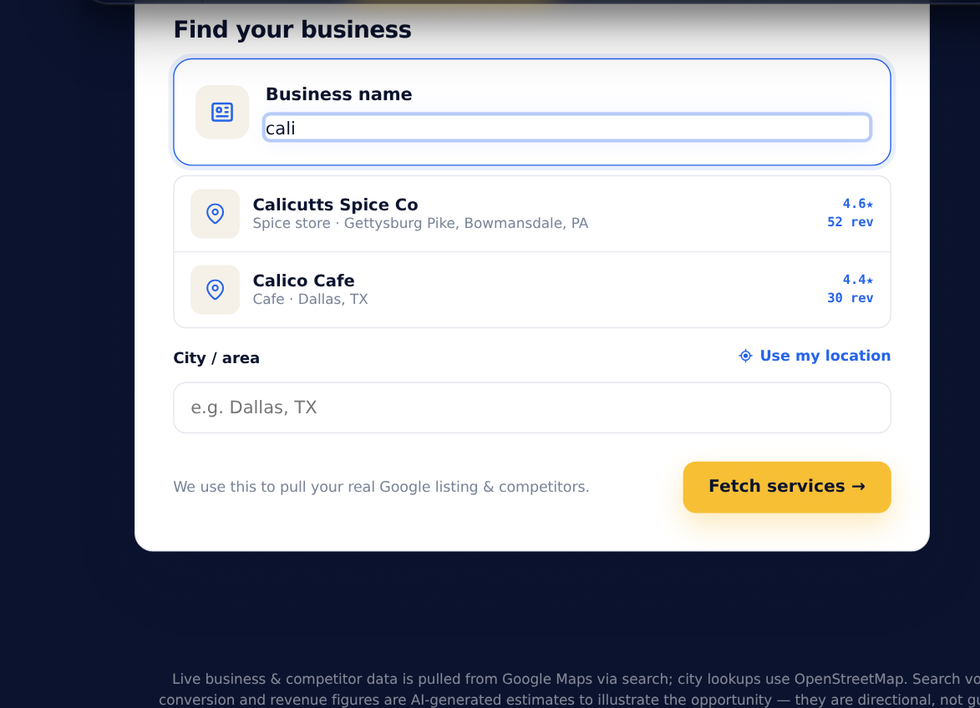
- In Step 1, start typing your business name and pick your listing from the Google dropdown - your category and city fill in automatically. You can also tap Use my location.
- Click Fetch services to move to step 2.
- In Step 2, pick the service you most want more customers for (or type your own), then click Analyze revenue.
- Watch the short analysis run - it finds keywords, estimates search volume, and pulls your real nearby competitors.
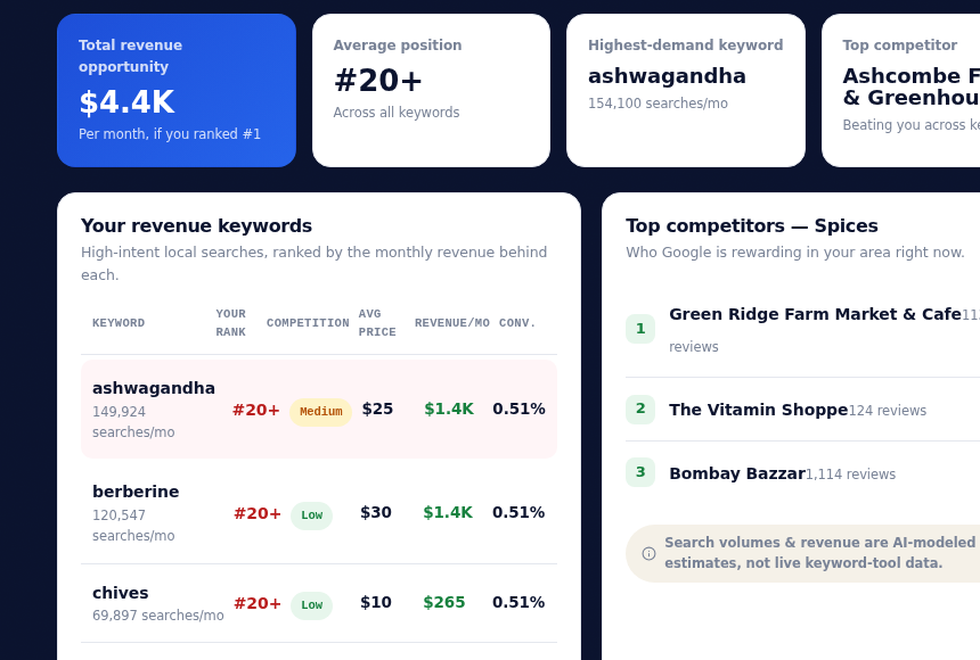
- Read your dashboard: total revenue opportunity, your average position, your highest-demand keyword, and the top competitor beating you.
Reading your results dashboard
The four cards up top give you the headline story: the total monthly revenue opportunity if you ranked #1, your estimated average position across all keywords, your single highest-demand keyword, and the strongest competitor in your area. Below, the keyword table breaks down each high-intent search - its volume, how competitive it is, the average ticket price, the monthly revenue behind it, and a conversion estimate - sorted so the biggest opportunities sit at the top.
An honest note on the numbers
The competitor list - names, review counts, and ratings - is pulled live from Google Maps, so it is real. The search volumes, prices, conversion rates and revenue figures are AI-generated estimates designed to illustrate the size of the opportunity. They are directional, not a promise or a measured keyword-tool reading. Treat them as a smart starting point for a conversation, not gospel - which is exactly why a free human audit is the natural next step.
See the revenue you are losing
It is free, runs in about two minutes, and needs no signup. Run your business, then book a free audit and we will map the exact plan to capture that revenue.
Open the Revenue Finder → Book a free call →