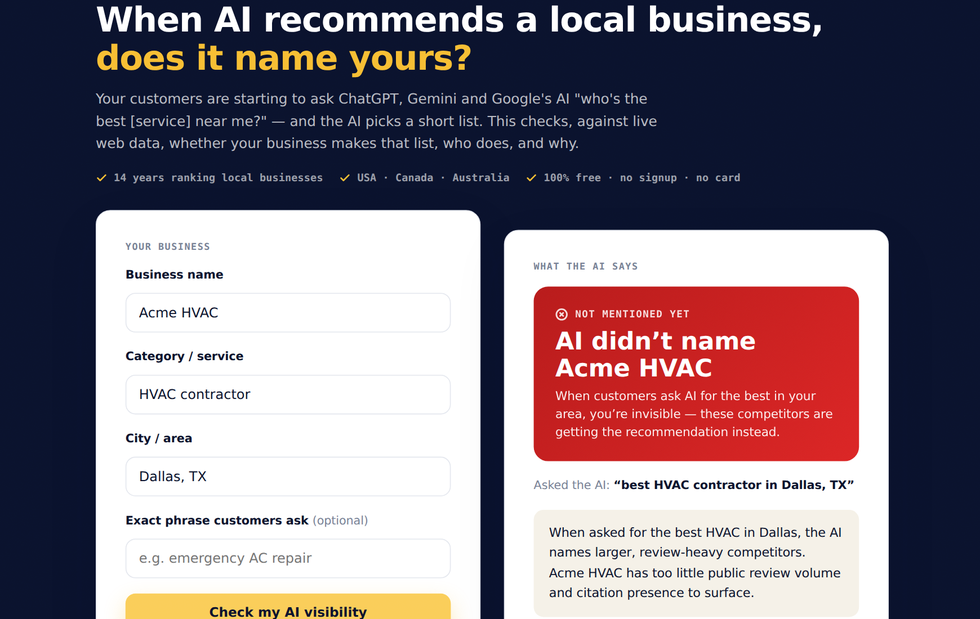
It runs a real, grounded query - not the model guessing from memory - so the answer reflects who actually shows up for your category right now. You get a clear verdict, the ranked businesses the AI recommends, and the specific reasons it is overlooking you if you are not on the list.
How to use it, step by step
- Enter your business name.
- Enter your category / service and your city.
- Optionally add the exact phrase customers would ask.
- Click Check my AI visibility and wait a few seconds for the live check.
- Read the verdict, the businesses AI recommends, and the gaps keeping you off the list.
What the verdict means
Green means an AI answer engine would name your business for that query, with roughly where it ranks. Red means it would not - and the competitors shown are the ones getting recommended instead. The summary explains the single biggest reason for the verdict, grounded in live search rather than the model’s memory.
Why AI overlooks a business - and how to fix it
Answer engines lean on the same prominence signals as the map pack: review count and velocity, ratings, consistent citations across directories (NAP), a complete and active Google Business Profile, and crawlable content that answers the question. The “gaps” list maps your weak spots to those exact levers, so you know what to fix to start getting cited.
Check your AI visibility now
It is free, runs a live check, and needs no signup. See where you stand, then book a free call and we will get you onto the AI short list.
Open the AI Visibility Checker → Book a free call →